The memory dump has not a lot to begin with. Running simple stuff like extracting strings does not give that much to work with. Or so I thought, until I ran into some interesting Powershell commands:
cat strings.txt | grep -i "powershell"

...
powershell -nop -exec bypass -EncodedCommand "%s"
...
Interesting, but not useful at all. Rebuilding the command %s was seemingly impossible.
In the challenge files, there is also a traffic capture. Filtering for HTTP we can see some intriguing facts: freesteam.exe file that was downloaded, repeated POST requests to /submit.php endpoint and repeated GET requests to /match endpoint.

Wireshark has the capability to extract objects from HTTP. It seemed beneficial to scan the downloaded executable with some antivirus tools.


The MD5 hash indeed creates hits. VirusTotal lights up the file like a Christmas tree. Many of the vendors are suggesting something related to CobaltStrike: https://www.virustotal.com/gui/file/4c95b1ec6a108d8ca640f99a8e072614f58b4e602e603d7c73bdb5e77170e327
Just out of curiosity, we can do a quick hunt in the memory dump. As is mentioned at https://www.cobaltstrike.com/blog/learn-pipe-fitting-for-all-of-your-offense-projects, CobaltStrike uses a pipe named MSSE-%d*-server by default. Indeed, we are able to observe a pipe named like this in the dump:
cat strings.txt | grep "MSSE" -i -A 5 -B 5
0Dv@
0(2Oan
6b9p
SVPt
AAAAAAAAAAAAAAAAAAAAAAAAAAAAAAAAAAAAAAAAAAAAAAAAAAAAAAAAAAAAAAAAAAAAAAAAAAAAAAAAAAAAAAAAAAAAAAAAAAAAAAAAAAAAAAAAAAAAAAAAAAAAAAAAAAAAAAAAAAAAAAAAAAAAAAAAAAAAAAAAAAAAAAAAAAAAAAAAAAAAAAAAAAAAAAAAAAAAAAAAAAAAAAAA
\\.\pipe\MSSE-7253-server
tSv@uSv0
[YvPaTv
\Yv`dTv
oTvl`Yv
sRvP
Next step: learn how to decrypt Cobalt Strike traffic. As there are many encrypted POST requests to submit.php endpoint, it seems reasonable to try and see what is inside these requests and responses. We can extract the public key of the beacon from the dump with tool 1768.py (https://blog.didierstevens.com/2021/12/21/update-1768-py-version-0-0-11/). Sadly, no known private key is found:

However, this blog post pretty much walks through what one needs to know about the process of extracting the keys from memory and traffic capture: https://blog.nviso.eu/2021/11/03/cobalt-strike-using-process-memory-to-decrypt-traffic-part-3/
The key to finding the solution is to recognize this is a CobaltStrike version 4 beacon; not version 3. To retrieve the task for using tool cs-extract-key.py, we must find some data to use. While analyzing the traffic, we can see there is a GET request roughly every 60 seconds to “/match” endpoint. As can be seen from the screenshot above, this is exactly the server’s get-uri endpoint. Good place to start.
Thus we run tool cs-parse-http-traffic.py to recover the data from one of the packets. Word of warning, on a raw, unmodified PCAP this will not fit in the terminal. Save it to a file. Alternatively, it is also possible to retrieve the packet data from Wireshark (just find the correct packet and copy the value).
python3 .\cs-parse-http-traffic.py -k unknown .\capture.pcap
And now we can retrieve the key:
python3 .\cs-extract-key.py -t a4940d6ff0<snip> .\freesteam.dmp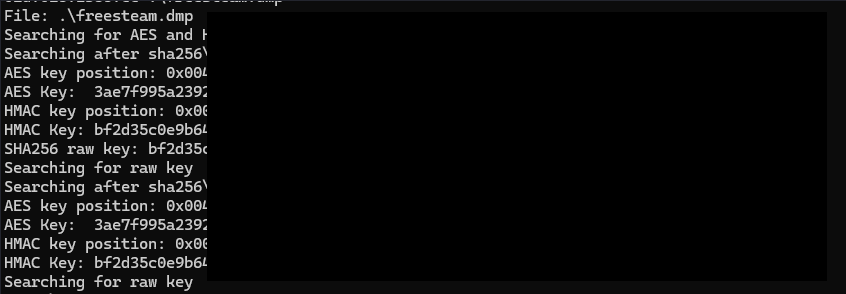
With the HMAC:AES key combi, we are able to decrypt the traffic.
python cs-parse-http-traffic.py -k HMAC_key:AES_key ./capture.pcapClearly some post-compromise activities going on:
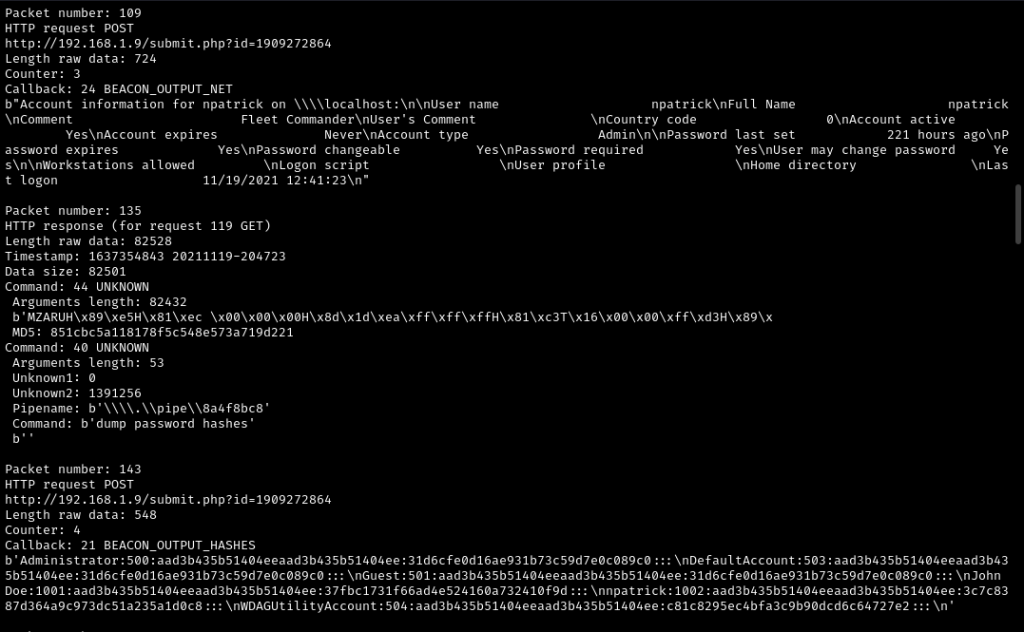
The adversary downloaded a file; maybe the flag is in that?
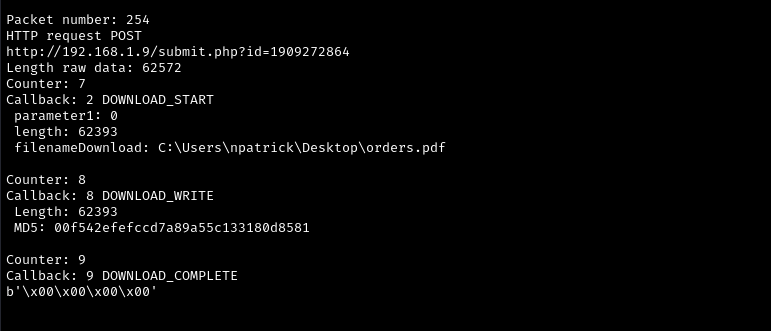
We can dump the files by adding “-e” parameter to the previous command.
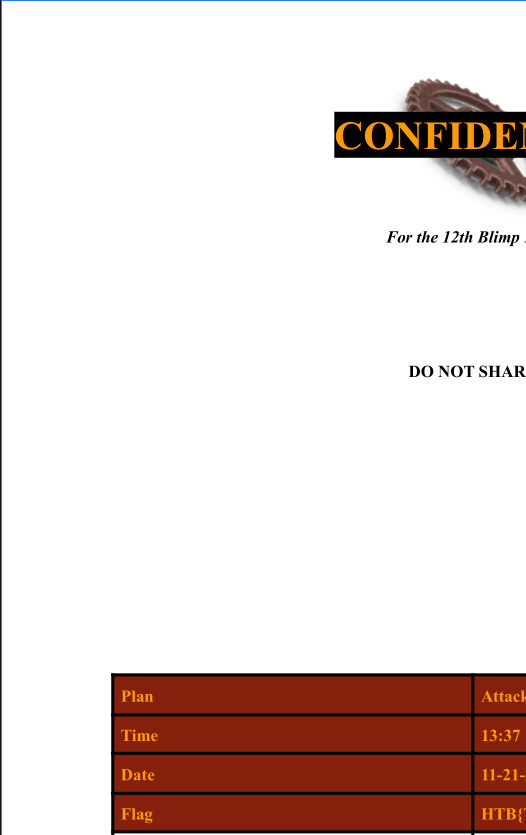
python cs-parse-http-traffic.py -k HMAC_key:AES_key ./capture.pcap -eOne of the files has the “orders.pdf” in it. Flag is there.
 Esa Kontio